


Smart Meter
Installed at the consumer site.
Last read1,248.6 kWh
RelayDisconnected
Waiting
Plant Asset Intelligence
Monitor every asset in real time, predict failures before they happen.
Workforce Management
Data-driven scheduling and performance insight.
Compliance & Audit Automation
Stay audit-ready with automated reporting.
Project Management
Deliver projects faster with intelligent collaboration.
Aviation Efficiency Reimagined
Predictive maintenance and route optimization in action.
Optimizing Energy Grids with AI Insights
Boosting grid uptime through real-time analytics.
Asset Intelligence in a Thermal Power Plant
Catching issues early and planning smarter maintenance.
Asset Level Energy Intelligence
Turning facility-level energy data into asset-level decisions.
Transformer Health Monitoring
Continuous, data-driven condition awareness for power transformers.
Smart Meter Distribution
Turning meter data into clearer, faster distribution decisions.
Power Quality with an SVG
Stabilising power quality and cutting energy penalties.
HES & MDMS Platform
Orivis brings remote meter operations, fleet workflows, firmware lifecycle management and billing configuration into one centralized Head End System (HES) and Meter Data Management System (MDMS) platform.
How it works
See how Orivis takes smart meter operations from selection and validation to execution, verification and traceability.
How Orivis works: a smart meter reports in over the cellular (GPRS) network, data arrives in the cloud, and Orivis monitors and operates the fleet. In this example, a relay connect command is previewed, validated and sent back to the meter, then a bill is generated with the Time-of-Day tariff.
Installed at the consumer site.
Meter data travels over the cellular network.
Reads and events are received and stored.

Head-end and meter data management in one platform.
Status and data for every meter in the fleet.
Every operation is previewed and validated first.
Commands sent back to the meter.
Bills follow the tariff and date you configure.
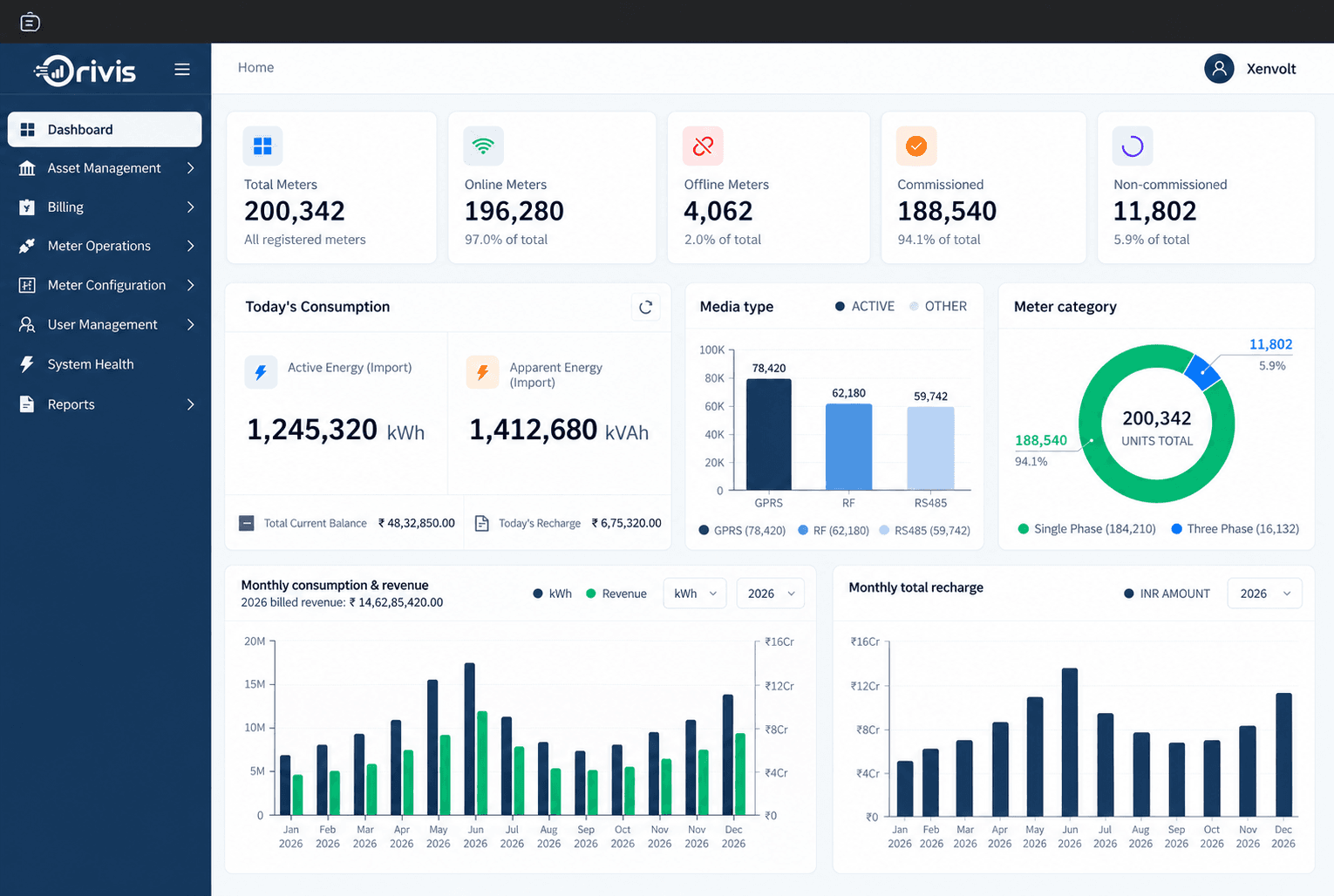
One home screen rolls up meter health, today's consumption and billing, connectivity mix and month-over-month trends, so fleet status is visible without switching screens.

Manage relay connect/disconnect, meter time synchronization and Maximum Demand reset without handling every meter individually, every operation moves through preview and validation before execution.
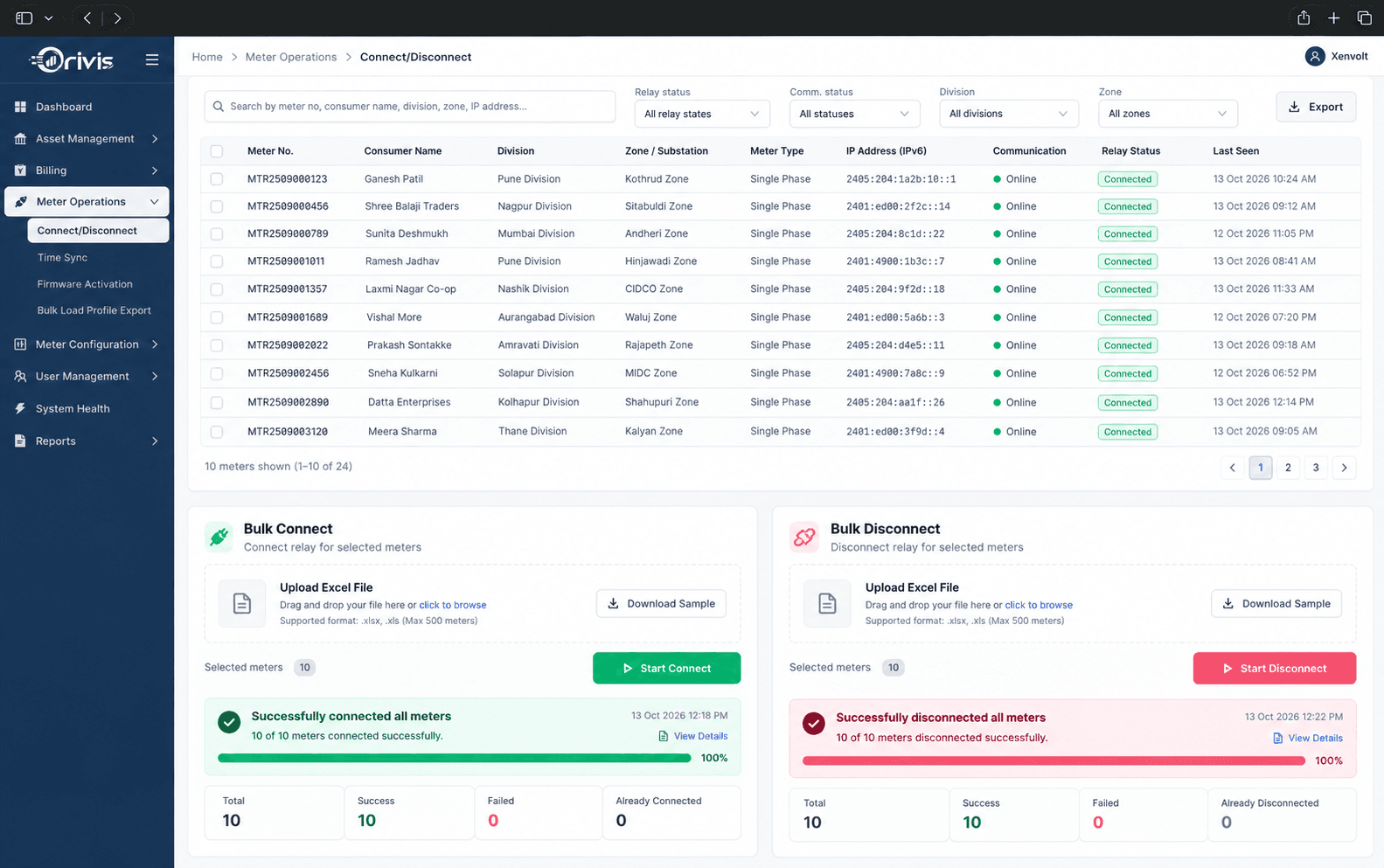
Select meters directly or build precise operation groups using operational filters, then manage thousands of actions with visibility at both fleet and meter level, progress tracking, individual results and retry for meters that need it.
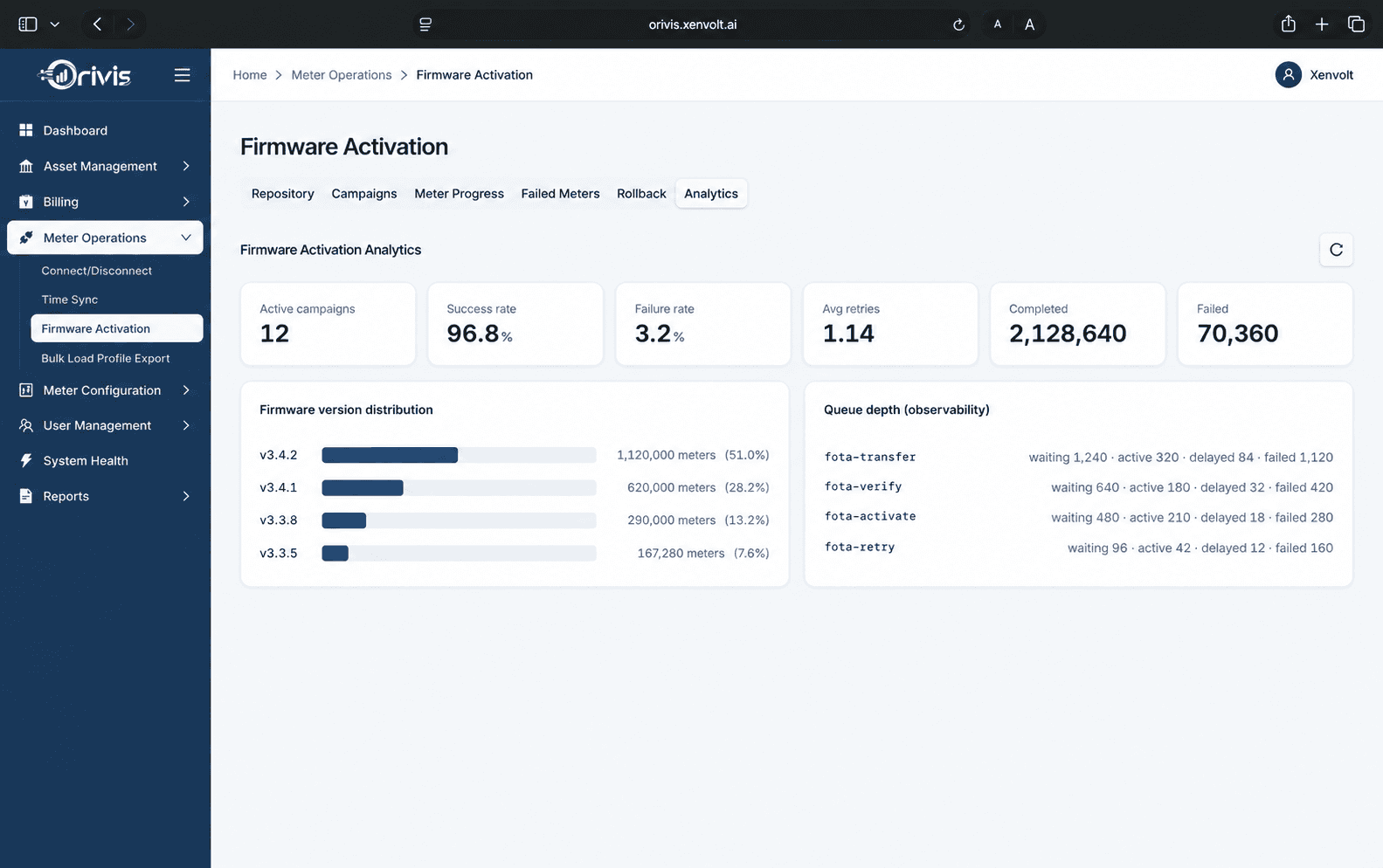
Control the firmware lifecycle without losing visibility into individual meter progress, transfer, verification and activation are tracked as a managed campaign, with rollback available.
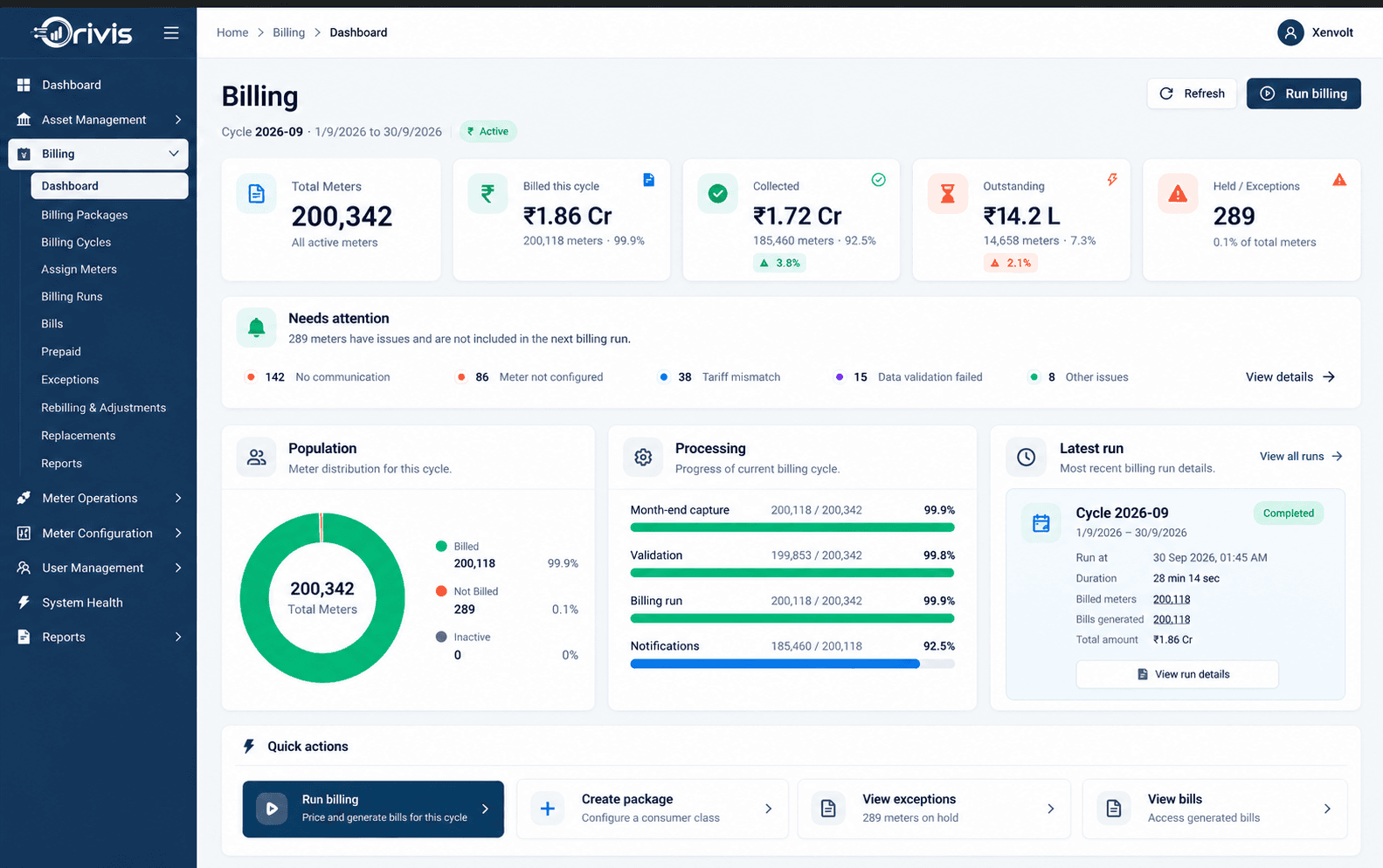
Deploy Time-of-Day calendars and billing packages with read-back verification, so you can confirm what each meter actually received, without repeating work on meters already correct.